Web Design · · 8 min read
Website design in 2026: what a business website needs now
A business website in 2026 has three readers: people, Google and AI assistants. Here is what your site needs so all three can use it, and how to brief a designer.
 Alexander van den BergFounder and CEO
In short
A business website in 2026 has to work for three readers: people, Google and AI assistants. That means clear facts in plain text, answers to the questions customers really ask, pages that load quickly on a phone, and a structure both people and machines can follow. This article is a practical checklist if you are planning a new site or updating the one you have.
If you are thinking about website design this year, start with the readers. For a long time a company website had two: visitors, and Google. A third reader now sits in between. AI assistants such as ChatGPT, Claude, Gemini, Grok and Perplexity read your pages and, more and more often, decide which companies get recommended.
What has changed for business websites since 2024?
Search started answering questions before anyone clicked.
- May 2024. Google began showing AI summaries above the search results.
- 2024. Nearly 60% of Google searches in the US already ended without a click (SparkToro, 2024).
- July 2025. When Google shows an AI summary, people click a regular result in 8% of visits, against 15% when there is none (Pew Research Center, 2025).
- Early 2026. 68% of US Google searches ended without a click (SparkToro, 2026).
- June 2026. Bots requested more web pages than people did: about 57% against 43% (Cloudflare data, reported by Semrush).
- 68%
of US Google searches ended without a click in early 2026 (SparkToro).
- 57% vs 43%
of page requests came from bots rather than people in June 2026 (Semrush, using Cloudflare data).
- 8% vs 15%
of visits end with a click on a regular result, with and without an AI summary (Pew Research Center).
A site that only tries to win a click is doing half the job. It also has to supply the answer that is given when nobody clicks. We wrote about that shift in Why even a great website is falling behind. This article is about what to put on the site itself.

Your site now has three readers
People
Visitors still decide whether to get in touch, buy or book. They need to understand, quickly, what you do, whether you can help them, and what to do next. Many of them arrive on a phone. A clear message and an obvious next step still matter, as we set out in 10 must-haves for a website that converts. Those points now sit beside two other readers.
Google still sends visitors, even if fewer searches end with a click. It needs pages it can crawl, titles and headings that match what people search for, and content that answers the query in the text itself. A beautiful page with the important words only inside images is hard for search to use.
AI assistants

Assistants such as ChatGPT, Claude, Gemini, Grok and Perplexity read your pages and recommend companies in their answers. They look for facts they can repeat: what you do, for whom, where, on what terms. If that information is missing, vague or only visible in a picture, they have little to say about you, or they say something outdated.
A useful way to think about it: write so a careful stranger could explain your business after one read of the page, without guessing.
What a business website needs: facts, answers, speed and structure
These four things help all three readers at once. You do not need a separate website for AI.
Clear facts in plain text
Every important page should say, in ordinary sentences, what you do, who you help, where you work and how to reach you. Put those facts in the text, not only in a photo, a slogan or an animation. Add the details customers already ask for, such as service areas, languages or typical timelines.
Real answers to real questions
People type full questions into Google and into AI assistants. "Which supplier delivers to Germany within a week?" is more common now than a two-word keyword. Your website should answer the questions your customers actually ask, on pages that a person can find and a machine can quote. If you are not sure what those questions are, write down the ones you already hear on calls and in email. That list is a good brief for new pages.
Speed on a phone
Pages should load quickly on a mobile connection. Google measures this with Core Web Vitals: how soon the main content appears, how stable the layout is, and how soon the page responds. In HTTP Archive data from April 2026, 67% of Astro websites passed that test, compared with 49% of WordPress websites (Search Engine Journal). Speed matters because both people and crawlers leave a slow page.
A structure that is easy to follow

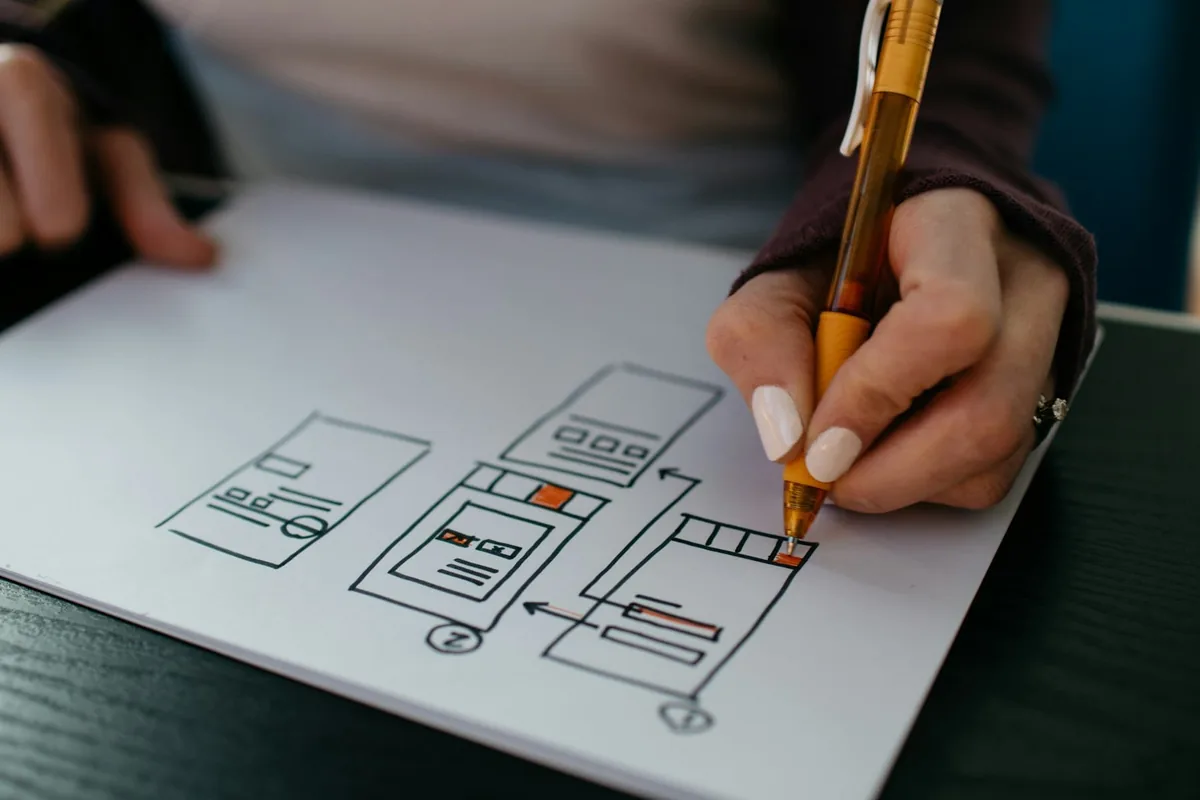
Use one clear heading per section, and let the heading describe the page. Keep related information together. Link to your own service and contact pages. Make sure the site still makes sense if the decorations are turned off: the text, the headings and the links should carry the meaning. A simple structure is easier to update later, which matters because AI assistants prefer pages that stay current. Ahrefs found that the pages they cite are on average about 26% newer than the pages in classic Google results (Ahrefs).
Design choices that help search instead of fighting it
Good design and good search can support each other. A few choices make that easier:
- Write the important words in real text, not only inside images.
- Use headings that describe the section, not just a short slogan.
- Keep contact details, services and locations visible as text, not only behind a button or in a file.
- Let photos support the story. They should not replace the facts.
- Keep the layout calm, so the content is easy to read on a phone.
- Build the site so a page can be updated without starting a new project.
Visual design still matters. People stay when a site is clear and pleasant to use. The change is that the words now also have to serve Google and AI assistants.
How to brief a web designer in 2026
A useful brief is short and specific. These seven points are enough to start a good conversation:
- Who you help, and what they should be able to do on the site.
- The questions customers ask before they buy or get in touch.
- The facts that must appear in plain text: services, locations, languages, terms.
- The languages the site needs, and who will write or review each one.
- A few example sites you like, and why, not only how they look.
- Who will update the site after it goes live, and how often.
- How you will tell whether the site is doing its job.
If you are choosing a designer or an agency, ask how the site will be written and structured for all three readers, not only how it will look. At Atelier ATTENTION we start website design with that conversation: what the site must say, who it must serve, and how it will be kept up to date.
Frequently asked questions
Do I need a new website in 2026, or can I update the one I have?
Not always a new one. If your current site can be updated easily, a focused round of work may be enough: clearer facts, pages that answer real questions, faster loading and a structure that is easier to follow. If changes are slow or costly, or the important text lives only in images, a rebuild can be the simpler route. It depends on how the site was built.
What should a business website include in 2026?
It should state, in plain text, what you do, who you help, where you work and how to get in touch. It should answer the questions customers actually ask, load quickly on a phone, and use a clear structure with real headings. Those things help people, Google and AI assistants at the same time.
How is website design in 2026 different from a few years ago?
The site still has to convince a visitor. It also has to be clear to Google and to AI assistants that now answer questions before anyone clicks. That changes the brief: facts belong in the text, pages need to stay current, and speed and structure matter as much as the look.
What should I tell a web designer before we start?
Tell them who you help, what visitors should be able to do, the questions customers already ask, and the facts that must appear in plain text. Add the languages you need, who will update the site, and how you will measure whether it works. That is more useful than a long list of visual references on its own.
Ready to plan your website?
If you are planning a new site, or you want to check whether the one you have is ready for all three readers, we can go through it with you. Read more about how we design websites, or get in touch for a short call.