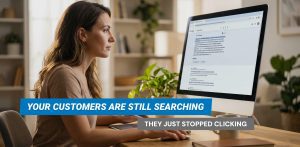
Google Ads is a pay-per-click (PPC) advertising platform where small businesses can display ads on Google search results and partner websites. You only pay when someone clicks your ad, making it ideal for budget-conscious companies. It helps reach potential customers actively searching for your products or services, leveling the playing field with larger competitors.
Tips for Efficient Use on a Budget
Here are practical tips to make the most of Google Ads with limited funds:
- Set a Realistic Budget: Start with $100–$500 monthly and adjust based on results.
- Choose the Right Keywords: Use long-tail, specific keywords (e.g., “affordable local plumber”) to lower costs.
- Use Negative Keywords: Exclude irrelevant terms like “free” to avoid wasted clicks.
- Create Compelling Ad Copy: Write clear, keyword-rich ads with a strong call to action to boost click-through rates.
- Target Locally: Focus on your service area to reach nearby customers, reducing ad spend on irrelevant regions.
- Monitor Performance: Check weekly and tweak bids, keywords, or ads based on what’s working.
- Use Conversion Tracking: Track actions like sales or leads to optimize for the best results.
- Start Small and Scale Up: Begin with a low budget and increase as you see positive ROI.
- Seek Professional Help if Needed: Consider hiring an expert if managing ads feels overwhelming.

Cost per Month Guidelines
Costs vary by industry and competition, but small businesses typically spend $1,000–$10,000 monthly. For budget-conscious firms, start with $100–$500 and scale up, aiming for a cost per click (CPC) of $0.11–$2.00 on search ads. An unexpected detail: Even with a small budget, tools like Google’s Keyword Planner (Google Ads Help) can help forecast costs, making it accessible for beginners.
Why Google Ads Should Be Part of Your Marketing Mix
In today’s digital world, most consumers search online first. Google Ads helps small businesses appear at the top of search results, reaching customers actively looking for their offerings. It’s measurable, letting you track ROI easily compared to traditional ads like print or radio. It’s cost-effective, with flexible budgets, and helps compete with larger companies by targeting specific keywords or locations. Integrating Google Ads with social media, email, or content marketing creates a comprehensive strategy, boosting visibility and growth.
Comprehensive Analysis and Recommendations
This section provides a detailed exploration of how small businesses can efficiently use Google Ads on a budget, drawing from extensive research into advertising strategies, cost structures, and best practices. The goal is to ensure the recommendations are practical, actionable, and tailored to the needs of smaller companies with limited financial resources.

Understanding Google Ads for Small Businesses
Google Ads, formerly known as Google AdWords, is an online advertising platform that enables businesses to promote their products or services on Google, its partner websites, and YouTube. It operates on a pay-per-click (PPC) model, meaning advertisers only pay when someone clicks on their ad. This model is particularly appealing for small businesses, as it allows for precise budget control and targeted reach, helping them compete with larger companies despite limited funds.
Research from WordStream and Fitsmallbusiness highlights that Google Ads can generate meaningful, cost-effective results for small businesses, with the ability to set daily or monthly budgets and adjust them as needed. This flexibility is crucial for businesses with tight marketing budgets, as it allows them to scale spending based on performance and seasonality.
Efficient Strategies for Budget-Conscious Small Businesses
To maximize the efficiency of Google Ads on a limited budget, small businesses should adopt the following strategies, supported by insights from StrategyBeam and MarlinSEM:
- Set a Realistic Budget:
- Determine a monthly budget based on what the business can afford, typically starting at $100–$500 for very small operations, as suggested by MarlinSEM. This allows for testing without significant financial risk.
- Use Google’s budget-setting feature to cap daily spend, ensuring you never exceed your monthly limit. For example, a $300 monthly budget could be set at $10 per day, averaged over 30 days.
- Choose the Right Keywords:
- Focus on long-tail keywords, which are more specific and less competitive, leading to lower CPCs. For instance, “affordable local plumber services” might cost less than “plumber.”
- Use Google’s Keyword Planner (Google Ads Help) to identify keywords with high relevance and low competition, estimating potential costs and search volumes.
- Use Negative Keywords:
- Exclude irrelevant search terms to prevent wasting clicks on unqualified traffic. For example, if you’re a paid service provider, add “free” as a negative keyword to avoid clicks from users seeking free options.
- Regularly review search term reports to identify new negative keywords, as recommended by Crowdspring.
- Create Compelling Ad Copy:
- Write clear, concise ads that include the targeted keyword and a strong call to action, such as “Book Now for 10% Off.” This increases click-through rates (CTR) and improves ad rank, potentially lowering costs.
- Use ad extensions (e.g., location, call, or sitelink extensions) to provide more information without additional cost, enhancing visibility, as noted by Google Ads Help.
- Target Locally:
- Use location targeting to focus on your service area, reducing ad spend on irrelevant regions. For example, a local bakery might target a 5-mile radius around its store.
- Leverage Local Services Ads for service-based businesses (e.g., plumbers, dentists) to appear at the top of search results with trusted badges, as suggested by Google’s Small Business Blog.
- Monitor Performance Regularly:
- Check campaign performance weekly or bi-weekly using Google Ads reports. Adjust bids, pause underperforming keywords, or increase budgets for high-performing ads.
- Use automated bidding strategies like Maximize Conversions to optimize spend, especially on tight budgets, as per NinjaPromo.
- Use Conversion Tracking:
- Implement conversion tracking to measure actions like form submissions, purchases, or phone calls. This data helps identify which ads drive ROI, allowing for optimization.
- Tools like Google Analytics can integrate with Google Ads to provide deeper insights, as mentioned by ActiveCampaign.
- Start Small and Scale Up:
- Begin with a low budget to test different keywords and ad variations. For example, allocate $200 for the first month to see initial results.
- Scale up spending on campaigns that show positive ROI, such as a 2:1 return on ad spend, and pause those that underperform, as advised by Blobr.
- Seek Professional Help if Needed:
- If managing ads feels overwhelming, consider hiring a digital marketing agency or consultant. Services like Third Marble Marketing offer management starting at $229/month, which can be cost-effective for small businesses.
- Alternatively, use free resources like Google Ads Skillshop for training to build in-house expertise.

Cost per Month Guidelines and Analysis
The cost of Google Ads for small businesses varies widely based on several factors, including industry, keyword competitiveness, location, and ad type. Research from WordStream and WebFX indicates that small to midsize businesses typically spend between $1,000 and $10,000 per month, with an average CPC of $0.11–$2.00 on the Google Search Network and under $1 on the Display Network.
However, for budget-conscious small businesses, starting with a lower budget is feasible. MarlinSEM suggests campaigns can be effective with budgets as low as $50–$500 per month, especially for lead-generation campaigns. The key is to focus on industries with lower CPCs, such as local services or niche markets, and avoid highly competitive sectors like law or insurance, where CPCs can exceed $50, as noted by Scorpion.
To provide a clearer guideline, consider the following table based on industry and budget recommendations:
| Industry | Typical Monthly Budget | Average CPC Range | Notes |
|---|---|---|---|
| Local Services (e.g., Plumber, Bakery) | $100–$1,000 | $0.50–$2.00 | Focus on local targeting for best ROI. |
| Retail/E-commerce | $500–$5,000 | $0.11–$0.50 | Use Display Network for broader reach. |
| Healthcare/Law | $5,000–$20,000+ | $5.00–$50.00+ | High competition, consider alternatives. |
For example, a local bakery targeting “fresh bread delivery” might spend $500 monthly, while a national e-commerce store bidding on “best running shoes” could invest $10,000 or more, as per Blobr. To optimize, use Google’s Performance Planner to forecast costs and adjust budgets based on campaign performance, ensuring you maximize ROI within your financial limits.

Why Google Ads Should Be Part of the Marketing Mix
In today’s digital age, most consumers begin their product or service search online, making online visibility crucial for small businesses. Google Ads enables small businesses to appear at the top of search results, reaching potential customers at the exact moment they’re looking for relevant offerings. This targeted approach is particularly effective, as it connects with users actively seeking solutions, enhancing the likelihood of conversions.
Research from ActiveCampaign and Crowdspring underscores the measurable nature of Google Ads, allowing small businesses to track ROI with precision. Unlike traditional advertising methods like print or radio, which can be harder to measure, Google Ads provides detailed analytics on clicks, conversions, and cost per acquisition, enabling data-driven decisions.
Moreover, Google Ads is cost-effective, with flexible budgeting options that suit small businesses. It allows for granular control, such as setting daily budgets and targeting specific locations, ensuring every dollar is spent wisely. This flexibility is highlighted in MarlinSEM, which notes that even budgets as low as $50 per month can yield results for lead-generation campaigns, particularly in less competitive industries.
Small businesses can also use Google Ads to compete with larger companies by strategically targeting niche keywords and local markets, as suggested by Digital Position. For instance, bidding on “high-end warm merino wool socks” rather than “men’s socks” can reduce competition and lower costs, allowing small businesses to appear alongside bigger brands.
Integrating Google Ads into the marketing mix enhances overall strategy. It complements other channels like social media advertising, email marketing, and content marketing, creating a cohesive approach. For example, a small business could use Google Ads for search intent, social media for brand awareness, and email for customer retention, as noted by StrategyBeam. This integration ensures a broader reach and reinforces brand messaging, driving growth even on limited budgets.
Conclusion and Practical Application
By implementing these strategies, small businesses can leverage Google Ads effectively even on a tight budget. Starting with a modest spend, focusing on local and long-tail keywords, and continuously optimizing campaigns can lead to significant results. The key is to treat Google Ads as an investment, regularly reviewing performance and adjusting to align with business goals. For those unsure, professional assistance or free Google resources can bridge the gap, making digital advertising accessible and affordable.